



Animate the departure
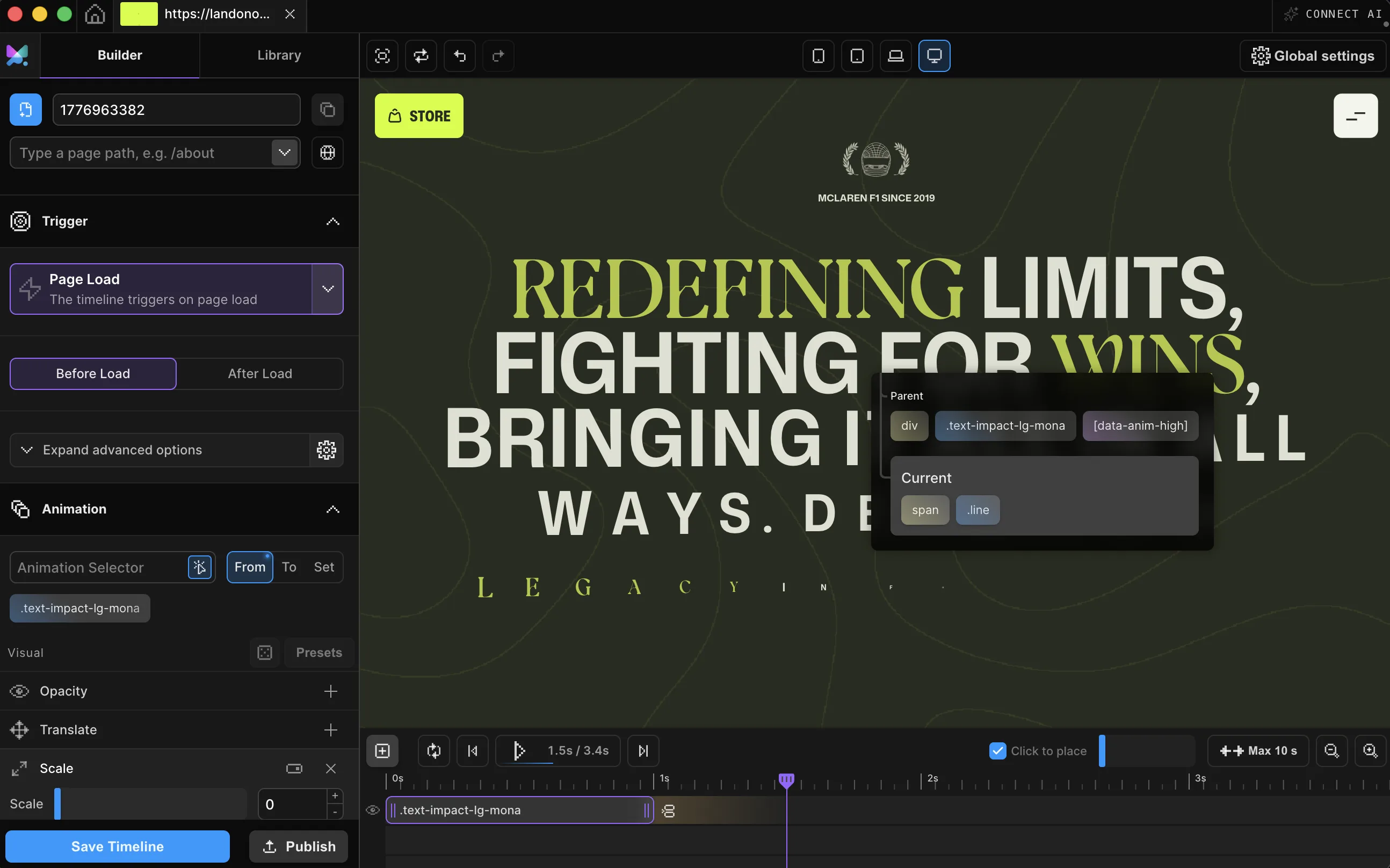
Pick your page wrapper, choose the Page Exit trigger, and shape the exit animation. It finishes, then the browser navigates.
The polished fade between pages you see on premium sites, added to the site you already have. Exits play before the browser navigates and entrances greet every arrival, all wired to your real links in a visual editor, with no single-page rewrite and no router required. Try the simulator below.
Cascade House
Arrive slowly.
Eleven rooms above the falls.
Meet Motion.page: All-in-One platform for web animation · YouTube
An exit on Page Exit and an entrance on Page Load: two ordinary timelines on your page wrapper. The browser still performs the navigation itself.

Pick your page wrapper, choose the Page Exit trigger, and shape the exit animation. It finishes, then the browser navigates.
A second timeline on Page Load opens every visit: before the DOM settles, during, or after everything has loaded.
All links, only specific ones, or everything except a list you exclude, then publish clean code to your site.
Works with every platform you already use



















Watch every menu link, only the ones you point at (your portfolio cards, your nav), or everything except a list you exclude, like a booking form. Links added later are checked live at click time, so they behave correctly too.
The published pattern: in the Builder, these are two panels. Motion SDK, Builder v3.2.10:
Motion("enter", ".page-wrapper", {
  from: { opacity: 0, y: 30 },
  duration: 0.6,
  ease: "power3.out",
}).onPageLoad();

Motion("exit", ".page-wrapper", {
  to: { opacity: 0, y: -30 },
  duration: 0.4,
  ease: "power2.in",
}).onPageExit({ skipHref: ["anchor", "mailto"] });
The same exit and entrance you just watched attach to your own navigation with two triggers in the Builder.
Intercepting navigation is easy to do badly. The exit trigger is deliberately picky about which clicks it touches, and leaves everything else to the browser.
A page transition is an animation that plays when a visitor navigates between pages: the current page animates out, and the next page animates in. Instead of content simply vanishing and reappearing, the site exits and enters like a scene change: the common patterns are the fade, the slide, the wipe, and the cover-and-reveal, and all of them are just different exit and entrance timelines.
On a normal multi-page website this takes two timelines. An exit timeline intercepts an eligible link click, plays, and then lets the browser navigate to the real URL. An entrance timeline on the next page plays on load, completing the loop.
Motion.page builds both visually: the exit is the Page Exit trigger with link selection and exclusions, the entrance is the Page Load trigger with before, during, or after-load timing. Published code runs on the site itself with zero dependencies.
No. That's the point. Page transitions run on regular multi-page websites: the exit animation plays, then the browser performs a normal navigation to the next page, where a Page Load timeline greets the visitor.
Eligible link clicks: same-tab links with a real destination. Modifier-key clicks, middle clicks, new-tab links, downloads, and (optionally) anchors, mailto and javascript links are left alone. You can also limit the trigger to specific selectors or exclude classes.
You can, but a hand-written click interceptor has to get several details right: leaving modifier-key, middle, and right clicks alone, skipping links with a target other than _self or a download attribute, never touching the back button, and catching links your page builder adds after load. Motion.page's Page Exit trigger already handles all of that. A delegated listener catches late-added links too, with nothing to re-initialize.
Back and forward are never intercepted or delayed. Exit animations only play on link clicks. Browsers that restore a page from the back-forward cache show it exactly as it was left.
A real navigation loads a new document, so the browser paints the next page fresh. There is no shared DOM or crossfade. Matching background colors between pages and running the entrance before the DOM settles keeps the hand-off feeling seamless.
The exit trigger yields to earlier listeners that handle a click, and you can scope it with Specific Links or exclusions so router-managed links are left alone. On fully client-routed sites, use Page Load entrances rather than exit interception.
Yes. Code published from WordPress is wrapped in a prefers-reduced-motion guard by default, with a per-timeline bypass switch in the Builder when a timeline must always run.
Yes. Page Exit and Page Load triggers ship in both the Motion.page WordPress plugin and the Desktop app, with the same controls, and they work on pages built with Elementor, Bricks, Divi, or Gutenberg.
Timelines published as local code live in your own site and keep running; they don't phone home. CDN-hosted delivery (where we host and serve the animation file for you) and further editing require an active license.
Still deciding? Compare plans →
Animations, shaders, or both. Flat pricing, no per-seat math.
Instant access, in Motion.page for WordPress and Desktop. Animations published as local code keep running on your site, even if you cancel.