


Pick an element
Click anything on your page. The Builder edits the live site, not a mockup.
Make sections fade, pin, and scrub as visitors scroll: by dragging markers on your real page, not writing code. Every demo on this page runs on it.
Meet Motion.page: All-in-One platform for web animation · YouTube
Choose Scroll from the trigger dropdown and live viewport markers appear over your real page, showing exactly where the animation starts and ends while you drag them.

Click anything on your page. The Builder edits the live site, not a mockup.
One dropdown turns the timeline scroll-driven. No plugin to register, no refresh() calls to write. The trigger is a setting, not a script.
Drag the Reaches sliders, lock to the scrollbar or pick a toggle action, then publish clean code to your site.
Works with every platform you already use


















Scrubbing ties motion to the scrollbar. Toggle actions fire it at thresholds: play on enter, and you choose what enter-back and leave do. The premade list in the panel below covers the common patterns.

Every behavior in that dropdown is one pick away. Set it on your own sections in the Builder in a few minutes.
Hold any section in place while the animation plays through it: horizontal stories, step-by-step reveals, product walkthroughs. You scrolled through one at the top of this page; here's the same pattern being built in the Builder.

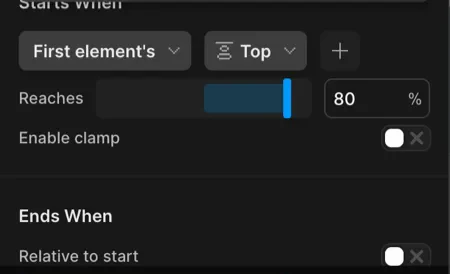
Scroll animation lives or dies on its boundaries. Every position control in the panel maps to something you can point at on the page.
What the Builder publishes is the same engine running every demo on this page: small, dependency-free, and careful with the main thread.
The Motion code behind the second row above (in the Builder, this is generated for you):
Motion("reveal", ".chip", {
  from: { opacity: 0, y: 26, scale: 0.9 },
  stagger: 0.09,
}).onScroll({
  start: "top 82%",
  toggleActions: "play reverse play reverse",
});A scroll-triggered animation is motion that starts, progresses, or reverses based on how far a visitor has scrolled, instead of playing on a timer. A trigger watches an element, and when that element crosses a chosen line in the viewport (the start boundary), the animation responds. A second line marks the end.
Scrubbing ties the animation's progress directly to the scrollbar: scroll halfway through the range and the animation is half done, scroll back and it rewinds. Pinning holds an element fixed on screen while the surrounding page keeps scrolling: the technique behind horizontal stories and step-by-step product walkthroughs.
Toggle actions are the discrete alternative to scrubbing: the animation plays when the element enters the viewport, and you decide what happens when it leaves, re-enters, or scrolls back out: play again, reverse, restart, or nothing. Motion.page puts all three behaviors in a visual panel with live markers, on your real page.
No. It's Motion.page's own scroll engine with a GSAP-compatible vocabulary. Start and end positions, scrub, pin, and toggle actions work the way you expect, but the published code has zero dependencies and doesn't load GSAP.
No. Select an element, switch the trigger to Scroll, and shape the behavior with visual controls. Live viewport markers show exactly where the animation starts and ends while you drag.
You can, but then you own the plumbing: a manual refresh() call whenever the page height changes, your own passive-listener and batched-write setup so triggers don't fight over layout, and your own reduced-motion guard. Motion.page's Scroll trigger re-measures itself after images load, on resize, and when the page height changes, and every trigger on the page already shares one passive listener with batched writes.
Yes. Turn on Pinned element, point it at any selector, and the Builder holds it in place for the scroll distance you choose; spacing is handled automatically.
Yes. The Scroll trigger is available in both the Motion.page WordPress plugin and the Desktop app, with the same controls, and it works on elements from any page builder: Elementor, Bricks, Divi, or Gutenberg included.
No. The engine never touches window.gsap and registers no GSAP plugins, so a theme or plugin that already loads GSAP keeps working untouched alongside it.
Timelines published as local code live in your own site and keep running; they don't phone home. CDN-hosted delivery (where we host and serve the animation file for you) and further editing require an active license.
The engine uses one passive scroll listener for the whole page and batches every DOM write, so triggers stay cheap even with many animations. Published code is tree-shaken, so a scroll animation ships only the scroll engine.
Still deciding? Compare plans →
Animations, shaders, or both. Flat pricing, no per-seat math.
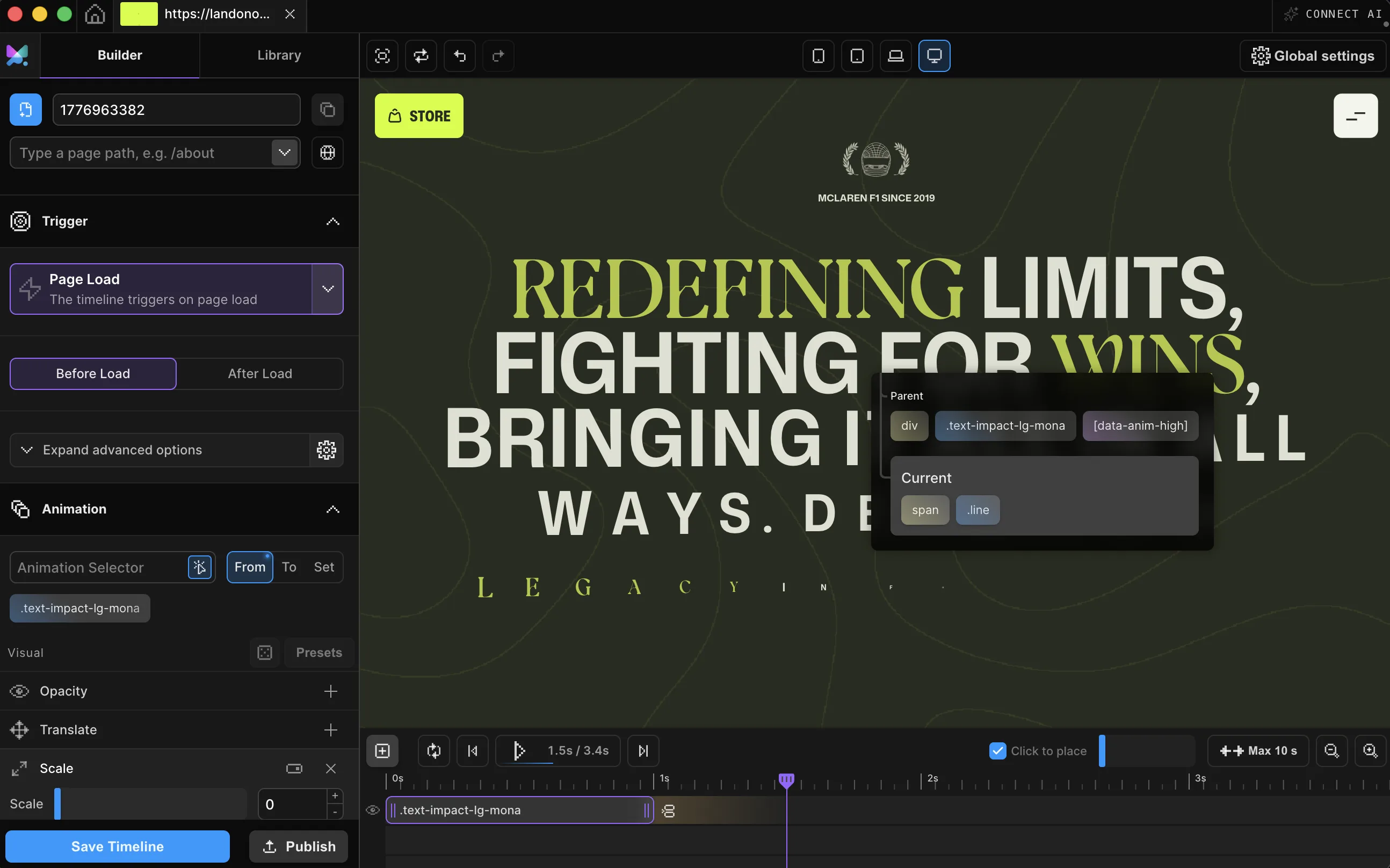
Instant access, in Motion.page for WordPress and Desktop.