



Pick a heading or paragraph
Click any text element. The Builder edits your real copy, not a placeholder.
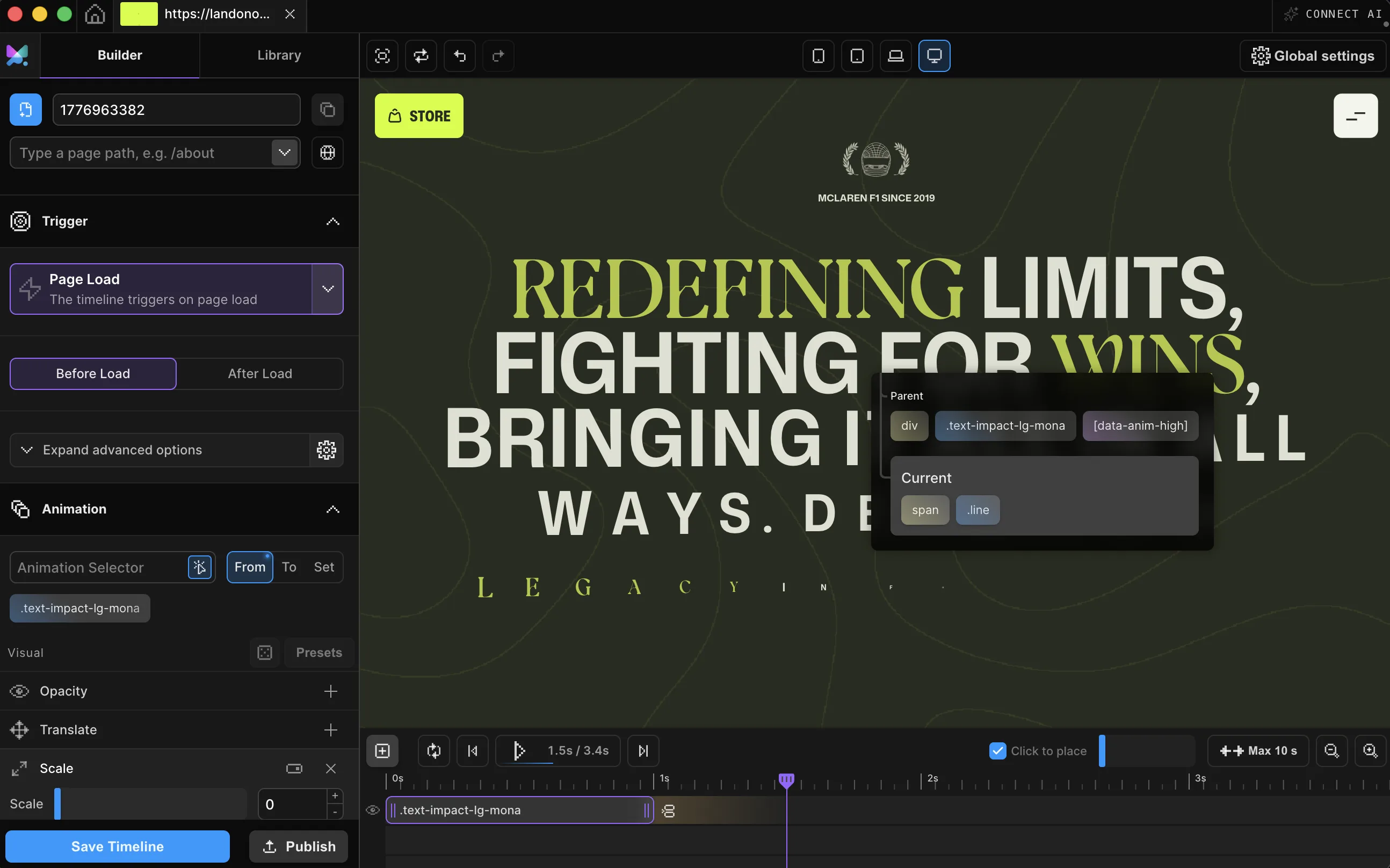
Split any heading or paragraph into characters, words, or lines, then animate each piece: a mask reveal, a stagger, a scroll-triggered entrance, all without writing code. The headline above is doing it right now.
Meet Motion.page: All-in-One platform for web animation · YouTube
Each row below runs the real Motion SDK. Scroll them into view once, then hit Replay as many times as you like.
split: charssplit: wordssplit: linesYou just replayed chars, words, and lines. Setting one up on your own headline takes a few minutes.
Pick the level, flip Mask on, and the Builder shows exactly what plays before it does: every character parked just below an invisible edge, waiting.

Click any text element. The Builder edits your real copy, not a placeholder.
Open the Text Splitter tile and pick a split level, or start from one of the 20 Text Reveals presets and tweak. Turn on Mask for a clip-reveal: text rising from behind an invisible edge.
From, to, and stagger (the beat each piece waits behind the previous one) work like any other animation. Publish clean code that runs on its own, with no library to load and no dependency.
Works with every platform you already use



















Inside the Functional property list, the Text Splitter tile gives three split levels and a Mask switch that wraps every piece in a clip-reveal container on its own.
The published pattern for a masked chars reveal: in the Builder, this is two toggles. Motion SDK, Builder v3.2.10:
Motion('headline', 'h1', {
  split: 'chars',
  mask: true,
  maskPadding: { inline: 0.15, block: 0.04 },
  from: { y: '110%', opacity: 0 },
  duration: 0.48,
  stagger: { each: 0.04, from: 'start' },
  ease: 'power3.out',
}).onPageLoad();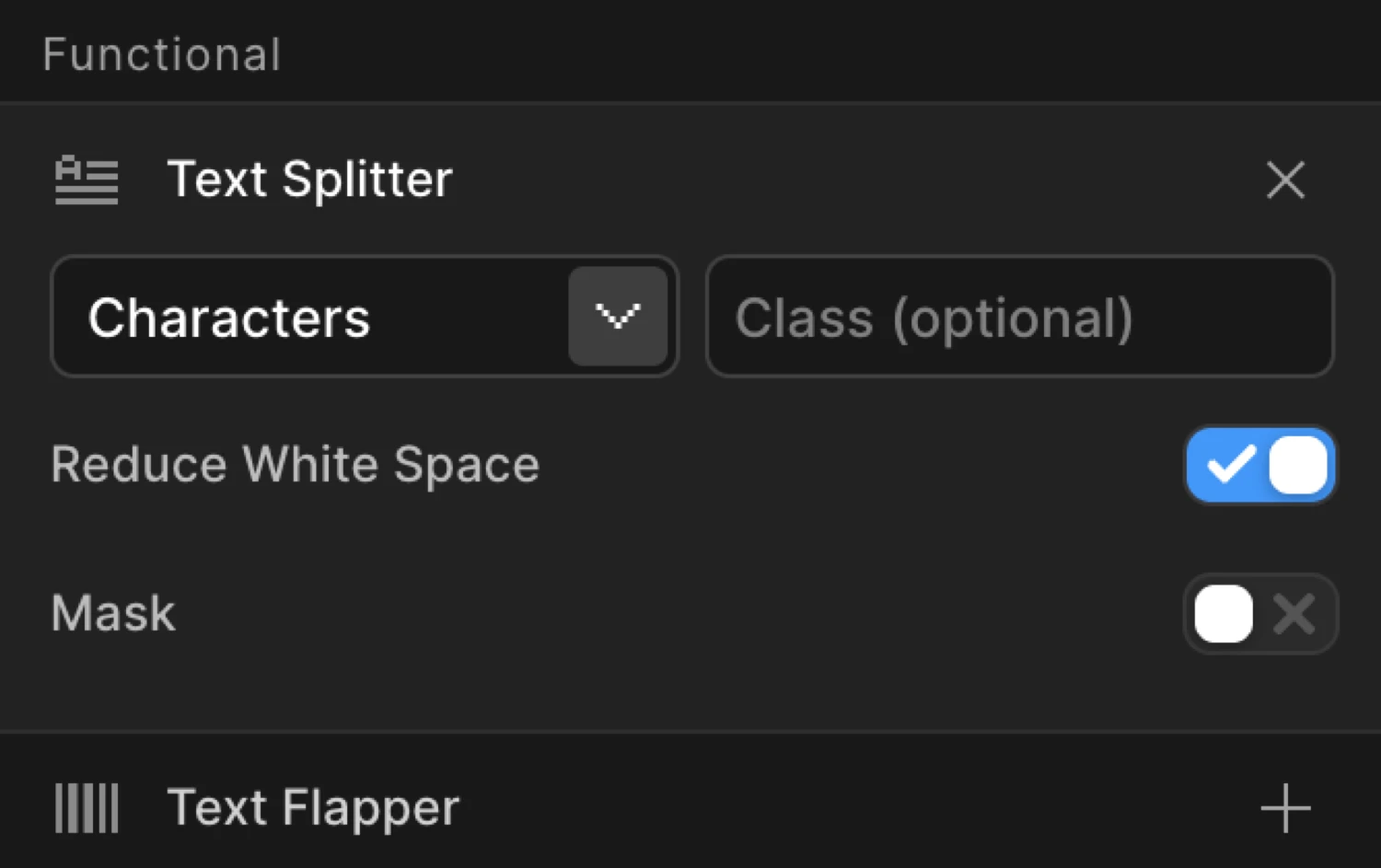
Here's exactly what the splitter handles so your markup and layout stay intact.
A split text animation breaks a heading or paragraph into characters, words, or lines so each piece can animate on its own. Letters can arrive one at a time, words can step in with a stagger, or lines can reveal in sequence, instead of the whole block fading in at once.
The signature version is the mask reveal: each piece sits inside a clipped container and slides up from behind that invisible edge, so text looks like it's rising into place rather than simply fading.
Motion.page builds the split visually: pick a level (Characters, Words, or Lines), turn on Mask, and shape the stagger like any other animation. Published code runs on the site itself with zero dependencies, and killing the timeline restores the original markup exactly.
SplitText is the classic name for the technique; in Motion.page it's the Text Splitter tile. It splits an element's text into characters, words, or lines so each piece can animate on its own: the engine behind letter-by-letter reveals and mask-style headline entrances.
No. Pick a heading or paragraph, open the Text Splitter tile, choose Characters, Words, or Lines, turn on Mask if you want a clip-reveal, then set your from/to values and stagger like any other animation.
No, only bare text nodes are split, so existing <span>, <em>, and <strong> wrappers keep their classes and styles, and <br> line breaks are preserved. Killing the timeline restores the original HTML exactly, with nothing left behind.
Yes. Motion.page carries the gradient onto every split character or word so a background-clip: text heading keeps painting correctly through the split. You don't need to do anything extra.
The split happens in the browser. The HTML you publish and what crawlers index is your original, unsplit text, and killing a timeline restores that markup exactly. Screen readers encounter the split spans while a timeline is active; for a headline that must read cleanly, add an aria-label with the full sentence.
The engine is Motion.page's own. What you're buying is the workflow: click a headline on your live page, pick Characters, Words, or Lines, flip Mask on, and publish clean dependency-free code to WordPress or Desktop. If you'd rather write it, the SDK is right there too.
Yes. The Text Splitter tile is available in both the Motion.page WordPress plugin and the Desktop app, with the same controls.
Timelines published as local code live in your own site and keep running. They don't phone home. CDN-hosted delivery (where we host and serve the animation file for you) and further editing require an active license.
Still deciding? Compare plans →
Animations, shaders, or both. Flat pricing, no per-seat math.
Instant access, in Motion.page for WordPress and Desktop. Animations published as local code keep running on your site, even if you cancel.