What is the Builder
Overview of the Motion.page visual animation builder — available as a WordPress plugin and Desktop app.
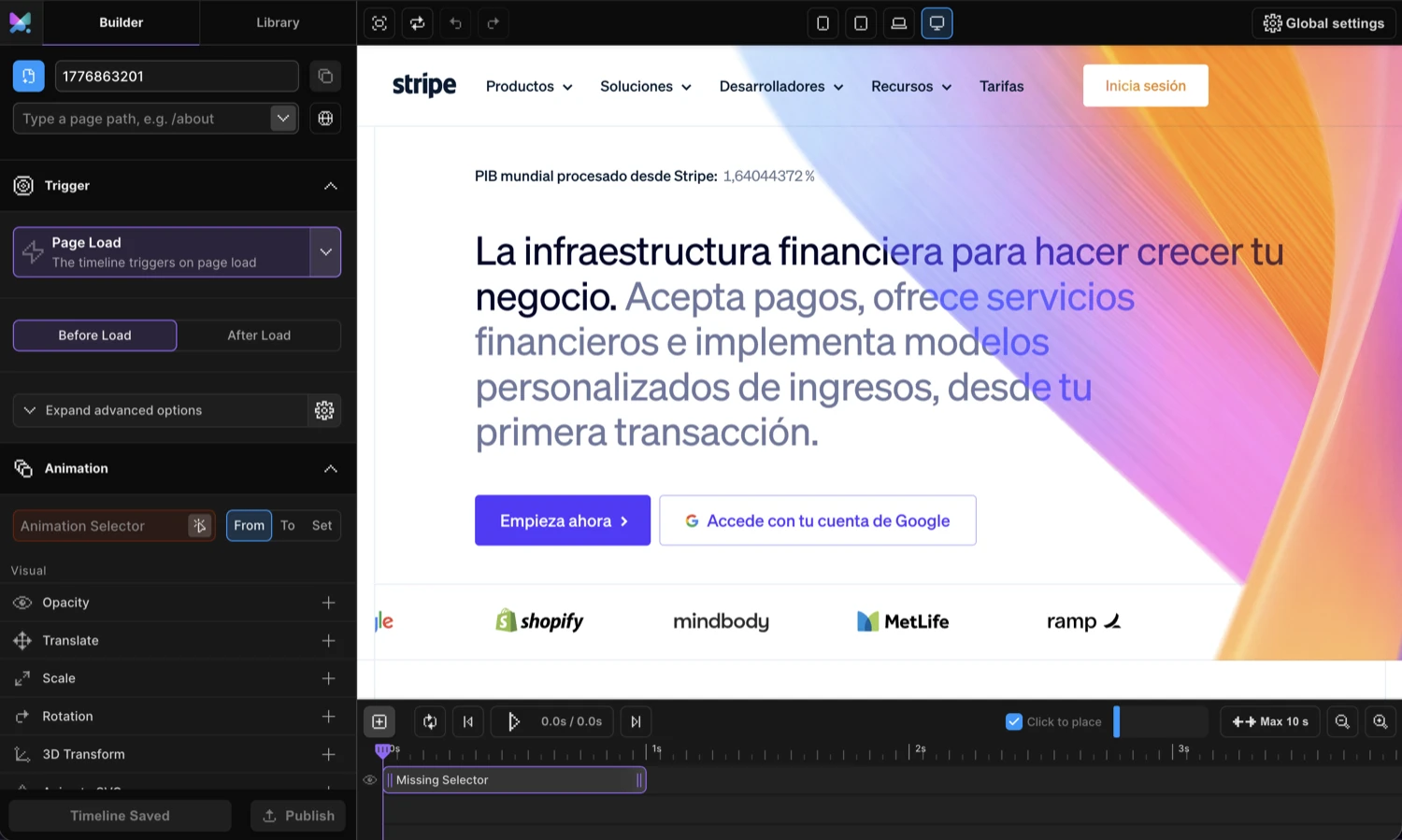
Motion.page Builder is a visual animation editor that lets you design, preview, and publish production-ready animations — no code required. Every animation you configure is powered by the Motion.page SDK.
How It Works
-
Select an element
Click any element in the Frame View. The Left Panel loads its animation settings.
-
Configure the animation
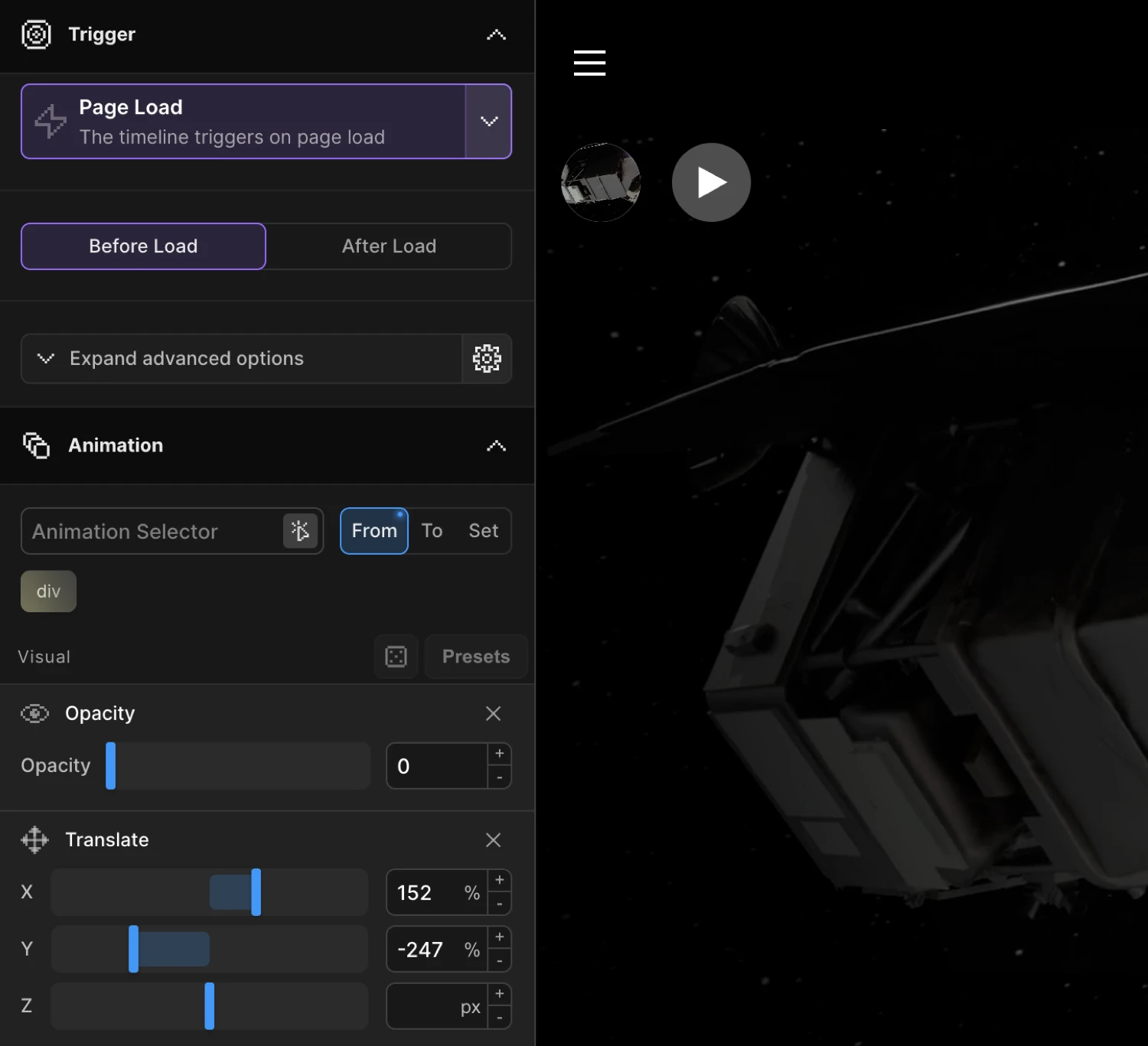
Choose what to animate (opacity, position, scale, color, SVG strokes, text, and more) and set your values in the From, To, or Set tabs.
-
Pick a trigger
Scroll into view, hover, click, page load, mouse movement, gesture, or custom cursor. Each trigger has its own set of controls in the Left Panel.
-
Publish
Hit publish. Motion.page injects the animation runtime and your configuration. Done.
What You Can Animate
Visual Properties
Configure in the From, To, or Set tabs of any animation node:
| Property | What It Does |
|---|---|
| Opacity | Fade in & out |
| Translate | Move on X and/or Y axis |
| Scale | Grow or shrink — uniform or per-axis |
| Rotation | Rotate on any axis; positive = clockwise |
| 3D Transform | Rotate and transform on the 3D plane |
| Skew | Shear distortion on X and/or Y |
| Dimensions | Animate width and/or height |
| Background Color | Animate the background color |
| Text Color | Animate the font color |
| Border Color | Animate the border color |
| Filter | Blur, grayscale, brightness, and other CSS filters |
| Background Position | Animate background-position for parallax effects |
| Transform Origin | Set the pivot point for transform animations |
| Custom | Any animatable CSS property or CSS variable |
Special Effects
These live in the Functional section — direction-agnostic and shared across From/To:
| Effect | What It Does |
|---|---|
| Animate SVG | DrawSVG stroke reveal plus stroke/fill color animation |
| Lottie | Sync a Lottie animation with the timeline |
| Image Sequence | Play a frame sequence on any trigger |
| Text Splitter | Split into chars, words, or lines and stagger each piece |
| Text Flapper | Solari split-flap board effect cycling through characters |
| Fit | FLIP morphing — animate an element toward another’s position and size |
| Motion Path | Move any element along an SVG path |
| Stagger | Offset timing across multiple targets |
| Repeat | Loop any number of times or infinitely, with optional yoyo |
| Ease | Choose from any easing curve |
Triggers
Every animation needs a trigger. The builder covers the full set:
| Trigger | Description |
|---|---|
| Page Load | Plays as soon as the page JS loads |
| Scroll | Plays on scroll-into-view, scrubs with the scrollbar, or pins in place |
| Hover | Plays on mouse enter — reverse, restart, or hold on leave |
| Click | Plays on click — reverse or restart on second click |
| Mouse Movement | Timeline progress tracks cursor position |
| Gesture / Observer | Responds to pointer, touch, wheel, and scroll gestures |
| Cursor | Custom animated cursor with hover and pressed states |
| Page Exit | Plays when a link is clicked, before the page navigates away |
| Presentation Mode | Full-page section scrolling with transition effects |
This is the kind of animation the Builder produces — a staggered card reveal on page load:
In the builder, this is three clicks: select the cards, set from: { opacity: 0, y: 32 }, add a stagger, and pick Page Load as the trigger.
Two Ways to Run It
WordPress Plugin
Install Motion.page as a WordPress plugin. The builder opens directly in the admin dashboard — click Edit with Motion.page on any page or post. Animations attach to your existing WordPress content and are published alongside it.
Desktop App
The standalone Electron app works with any website — WordPress, Webflow, custom HTML, or anything else. Open a URL in the Frame View, build animations, and export the output to embed wherever you need it.
Under the Hood
The Builder generates SDK code for every animation you configure. There is no proprietary runtime format — what gets published is clean @motion.page/sdk calls that you can read, copy, and extend.
Motion('hero-reveal', '.hero-section', {
from: { opacity: 0, y: 40 },
split: 'words',
stagger: 0.06,
duration: 0.7,
ease: 'power2.out',
}).onPageLoad();
If you ever outgrow the builder’s UI, take the generated code and continue in your editor. No lock-in.
Next Steps
- WordPress Installation — install the plugin and open the builder
- Desktop Installation — set up the Electron app
- From, To & Set — the three animation modes explained
- SDK Overview — use the SDK directly without the builder