



Select the elements
Point a selector at everything that should move together: a grid of cards, a list, a set of icons.
One stagger property spaces out any set of elements you point it at, from whichever origin you pick: start, center, edges, random, or end. Try one below and watch the grid follow.
Meet Motion.page: All-in-One platform for web animation · YouTube
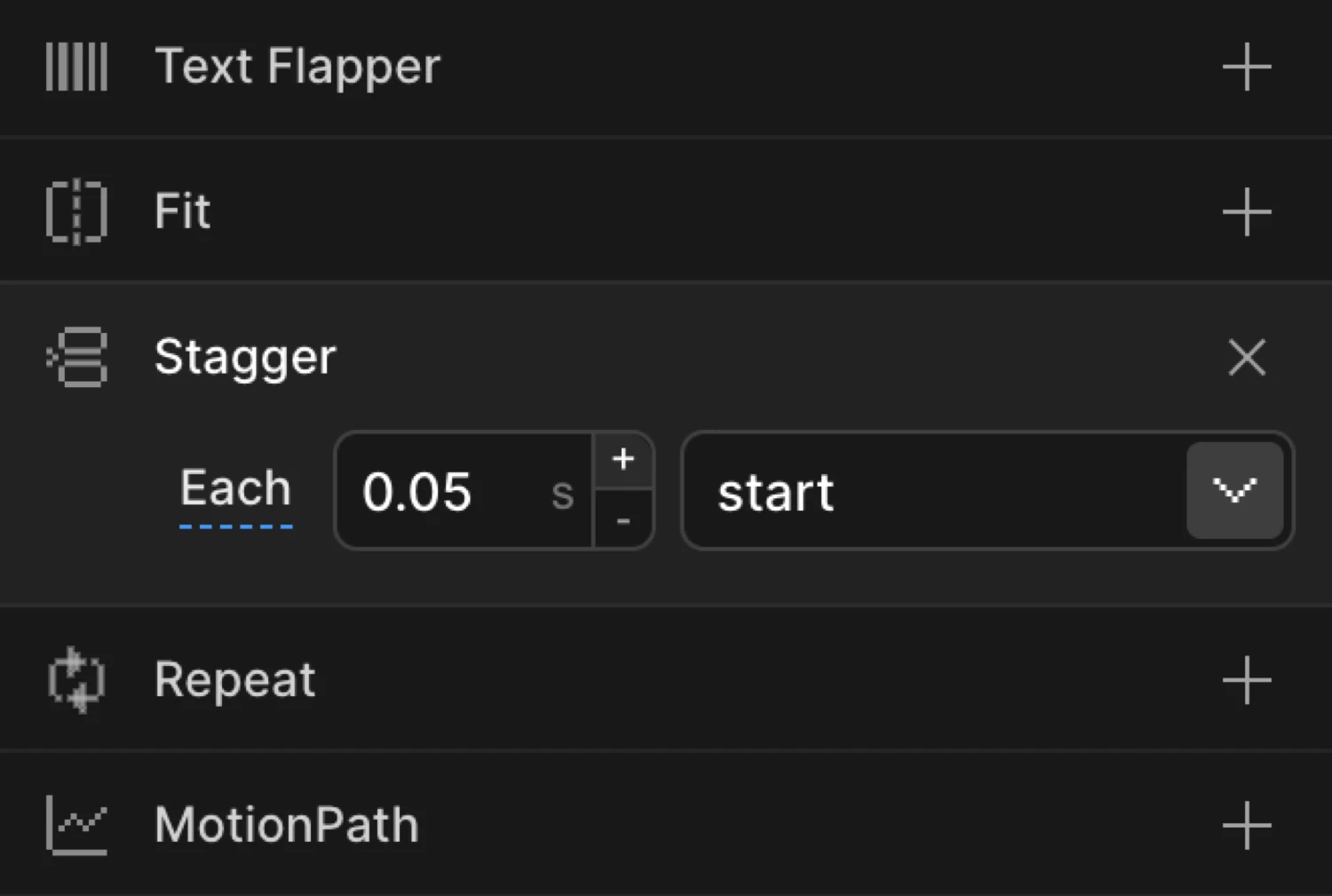
Stagger sits next to Ease and Repeat as a property tile in the Animation panel: toggle Each or Amount, pick an origin, and every matched element gets its own offset. It works on a preset too: build from Smooth Transitions, Creative Effects, or Text Reveals, then add the stagger after.

Point a selector at everything that should move together: a grid of cards, a list, a set of icons.
Each is a fixed gap between elements; Amount is a fixed total spread that divides across however many elements matched. One toggle picks between them, one number sets it.
Start, center, edges, random, or end: the From dropdown decides where the cascade begins. Then publish clean code to your site; there's nothing to hand-write.
Works with every platform you already use



















You've just seen how the panel works. Setting up your own cascade takes a few minutes.
Each, Amount, and five named origins publish straight from the panel. Three shapes (numeric origins, 2D grids, distribution easing) are SDK-only for now.
The hero grid ripple, as code (grid: "auto" is SDK-only, not yet in the Builder panel):
Motion("ripple", ".tile", {
  from: { opacity: 0, scale: 0.5 },
  duration: 0.45,
  stagger: { each: 0.04, from: "center", grid: "auto" },
  ease: "power2.out",
}).onPageLoad();A stagger animation gives every element in a set its own start time instead of moving them all at once. One element leads, the rest follow at an offset, and the effect reads as a cascade whether there are five elements or five hundred.
Hand-coded, a staggered animation means per-child CSS transition-delay math, renumbered every time the set changes. Motion.page builds the same cascade animation visually: one spacing value (Each or Amount, explained above) and one origin for where the cascade begins, then publishes it as code without any of it being hand-written.
On a 2D layout, the SDK's grid: "auto" reads the actual rendered rows and columns so a ripple spreads across two dimensions without hand-counting a grid, and a distribution ease can front-load or back-load the delays independently of the animation's own easing.
each is a fixed gap: every element waits that many seconds longer than the one before it, so more elements mean a longer total cascade. amount is a fixed total: the whole set finishes within that window regardless of how many elements matched, with the gap auto-dividing to fit.
In the Builder, the From dropdown picks one of five origins: start, center, edges, random, or end. The SDK adds a sixth option: pass a number as from and the stagger radiates outward from that exact element index instead of a named position.
Yes, in the SDK: set grid: "auto" and it infers rows and columns from the rendered layout, so a ripple spreads across two dimensions instead of one line. Grid mode is SDK-only. The Builder's stagger panel doesn't expose it yet.
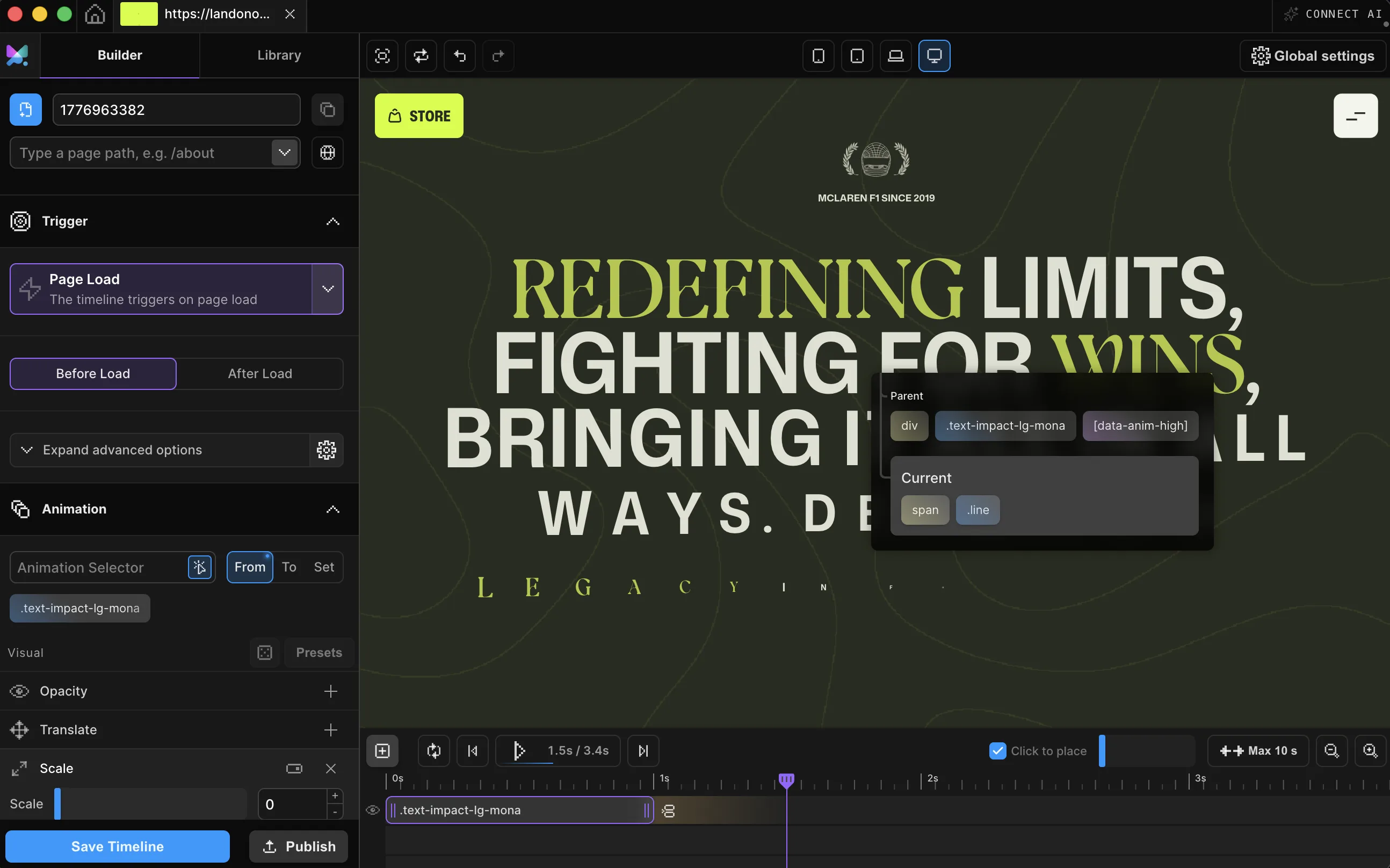
Yes, split a heading into chars, words, or lines and stagger applies to each split piece the same way it applies to a list of elements, with the same each/amount and origin controls.
You can, one element at a time: hand-numbered delays that all need re-doing when a card is added or removed. Stagger is one property on one timeline: set Each or Amount once, pick an origin, and the offsets recompute for however many elements match. CSS also has no center, edges, or random origin.
A stagger is one timeline with a computed per-element offset, not a hundred separate timers. The demos on this page animate transform and opacity, the properties browsers composite cheapest, and that's the sensible recipe for large sets on your site too.
Yes. Stagger is a property on any timeline, available in both the Motion.page WordPress plugin and the Desktop app, with the same Each / Amount and From controls.
Timelines published as local code live in your own site and keep running; they don't phone home. CDN-hosted delivery (where we host and serve the animation file for you) and further editing require an active license.
Still deciding? Compare plans →
Animations, shaders, or both. Flat pricing, no per-seat math.
Instant access, in Motion.page for WordPress and Desktop. Animations published as local code keep running on your site, even if you cancel.