


Pick the element
Select what should keep moving: an icon, a badge, a background shape.
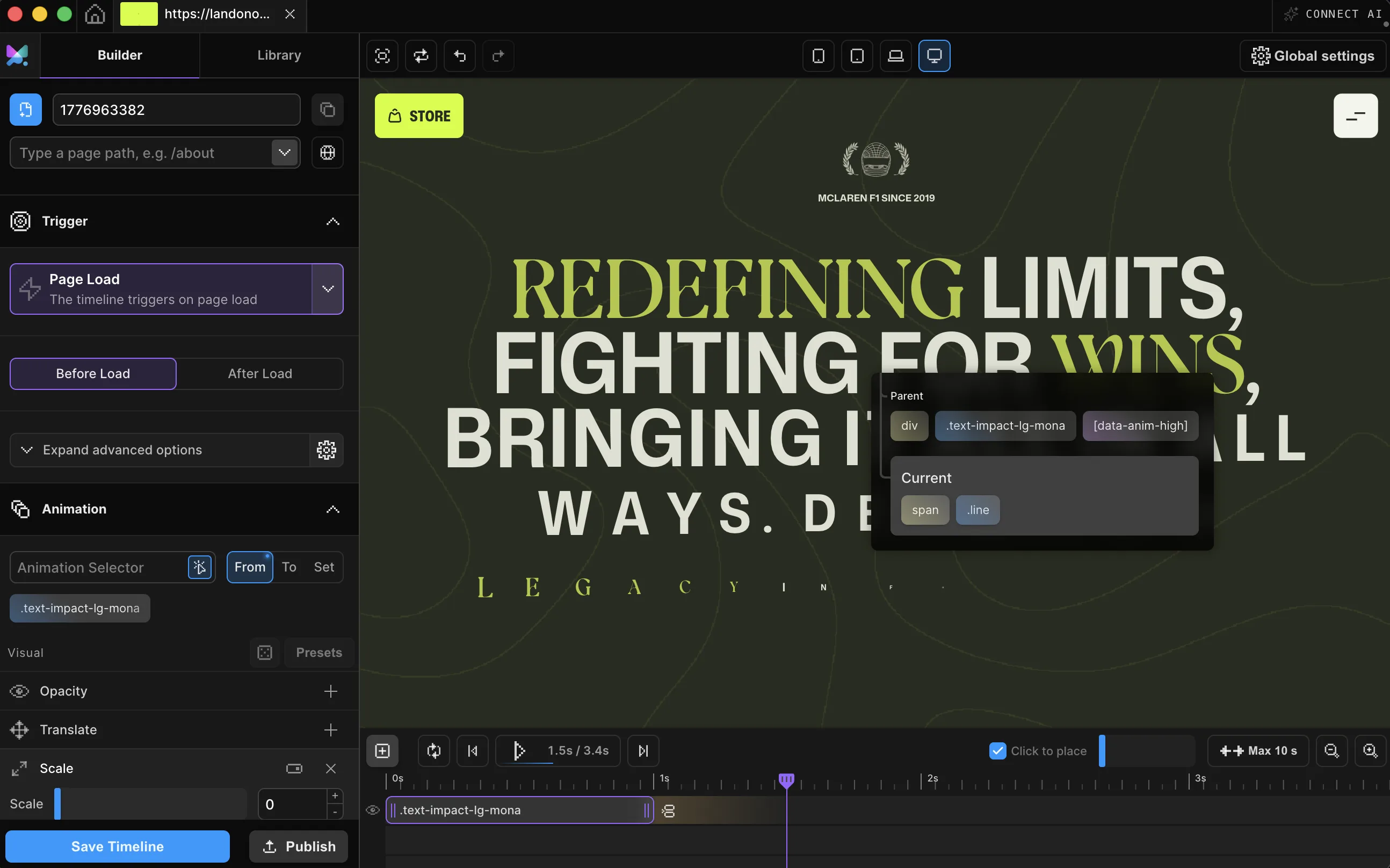
Repeat plays an animation again after it finishes (once, a few times, or forever with -1) on a single element or a whole timeline, without a line of code. Three loops are already running below.
Meet Motion.page: All-in-One platform for web animation · YouTube
Give an element a Repeat count, set it to -1 for infinite, and enable Yoyo for a back-and-forth cycle instead of a reset: no interval, no cleanup code. Start the animation itself from any preset: Smooth Transitions, Creative Effects, or Text Reveals.

Select what should keep moving: an icon, a badge, a background shape.
Add it to the node for a single element, or loop the whole timeline as a group from the advanced options of a Page Load or Scroll trigger.
Any number plays that many extra times after the first; -1 runs forever. Then publish clean code to your site.
Works with every platform you already use















You just watched that pulse loop with a Repeat count and a Yoyo switch. Setting one up on your own element takes the same two clicks.
Repeat lives in one place in the config: nested inside a repeat setting, never as a loose yoyo flag or a separate repeatDelay.
The pulse above, as published code. Motion SDK, Builder v3.2.10:
Motion("pulse", ".pulse-dot", {
  to: { scale: 1.18, opacity: 1 },
  duration: 0.7,
  ease: "power1.inOut",
  repeat: { times: -1, yoyo: true },
}).onPageLoad();A loop animation repeats after it finishes instead of stopping on its final frame: a breathing icon, a pulsing badge, a shape that drifts back and forth for as long as the page is open. repeat controls how many extra cycles play after the first; -1 means forever.
Motion.page offers it at two scopes: repeat a single element's animation on its own node, or loop an entire multi-step timeline as one unit from a Page Load or Scroll trigger's advanced options. Add yoyo to either scope and cycles reverse smoothly instead of snapping back to the start, with its own pause between cycles, separate from the animation's initial start delay.
There are no CSS keyframes, and nothing to hand-code. Built on transform and opacity by default, a looping animation runs on the browser's compositor rather than triggering layout, so it's cheap to leave running indefinitely. In WordPress, the published script is also wrapped in a reduced-motion check, so visitors who prefer less motion never run it.
For one property looping on one element, CSS is fine. Repeat here loops a real timeline: a yoyo cycle without hand-writing mirrored keyframes, a pause between cycles, and a whole multi-step sequence repeating as one unit, all set visually with two controls. In WordPress, the published script is also wrapped in a reduced-motion check, so visitors who prefer less motion never run it.
Not when they animate transform and opacity (the properties this engine favors) because the browser compositor handles them without triggering layout or paint. Every timeline on the page runs on one shared ticker, so adding more loops doesn't add more timers, and browsers throttle background tabs automatically. The demos on this page also pause themselves offscreen.
No. A scroll-scrubbed timeline ('lock to scrollbar') has its progress driven entirely by the scrollbar position, so there's no free-running playhead left to repeat. The Builder's timeline-loop control is replaced with a warning when scrub is on.
Yes, that's the second scope. A single element's Repeat only loops that element; a timeline-level loop repeats an entire multi-step sequence as one unit. In the Builder this control lives in the advanced options of Page Load and Scroll triggers, not on the node.
Plain repeat replays the animation from the start every cycle, a hard reset. Adding yoyo reverses direction on alternate cycles instead, so the motion flows back and forth without ever snapping.
Yes. Repeat, on a single element or a whole timeline, ships in both the Motion.page WordPress plugin and the Desktop app, with the same controls.
Timelines published as local code live in your own site and keep running; they don't phone home. CDN-hosted delivery (where we host and serve the animation file for you) and further editing require an active license.
Still deciding? Compare plans →
Animations, shaders, or both. Flat pricing, no per-seat math.
Instant access, in Motion.page for WordPress and Desktop. Animations published as local code keep running on your site, even if you cancel.